

TL;DR:
- A personalized event planning workflow guides every event from initial inquiry to post-event follow-up based on the client’s vision and event type. Automating repetitive tasks within this structured process improves efficiency, increases profit margins, and enhances client satisfaction. Planning stages should be mapped out before choosing tools to ensure the workflow is tailored and effective.
A personalised event planning workflow is the structured sequence of steps that takes any unique event from first enquiry through to post-event follow-up, shaped specifically around the client’s vision and event type. Unlike a generic checklist, this approach treats every wedding, corporate function, or milestone celebration as its own project with its own logic. The event planning process spans five core stages: enquiry capture, proposal and contract, vendor coordination, day-of execution, and post-event retention. Getting that sequence right before you choose any tool or template is what separates planners who feel in control from those who are constantly reacting.
What are the essential components of a personalised event planning workflow?
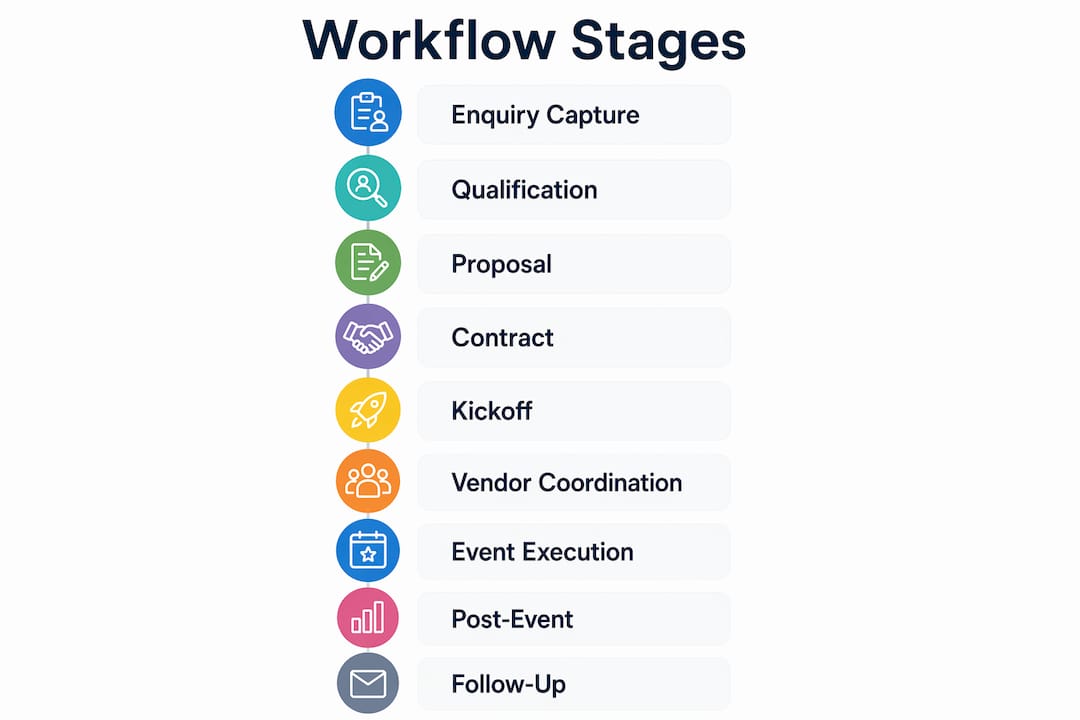
A well-built workflow covers nine distinct stages, and each one has clear inputs, outputs, and automation opportunities. Workflow components run from enquiry capture through to post-event retention, and the sequence rarely changes between event types. What changes is the content inside each stage.
The nine stages are:
- Enquiry capture. A web form or landing page collects the client’s name, event type, date, and budget. An automated acknowledgement should fire within 90 seconds of submission.
- Client qualification. A short discovery call or questionnaire filters serious enquiries from casual browsers. This protects your time and sets the right expectations early.
- Proposal generation. A tailored proposal goes out within 24–48 hours. Templates speed up drafting; personalisation closes the deal.
- Contract and deposit handling. Digital signing tools and automated payment reminders remove the back-and-forth that delays bookings.
- Kickoff and discovery. A structured kickoff meeting maps the client’s vision, cultural preferences, and non-negotiables onto the workflow.
- Vendor RFP management. Requests for proposals go to shortlisted vendors simultaneously. Centralised tracking prevents missed responses.
- Timeline and RSVP sync. A shared master timeline, updated in real time, keeps every supplier and stakeholder aligned.
- Day-of coordination. A run sheet with minute-by-minute cues, assigned contacts, and contingency notes governs execution.
- Post-event closeout and retention. A feedback survey, thank-you note, and referral prompt go out within 48 hours of the event.
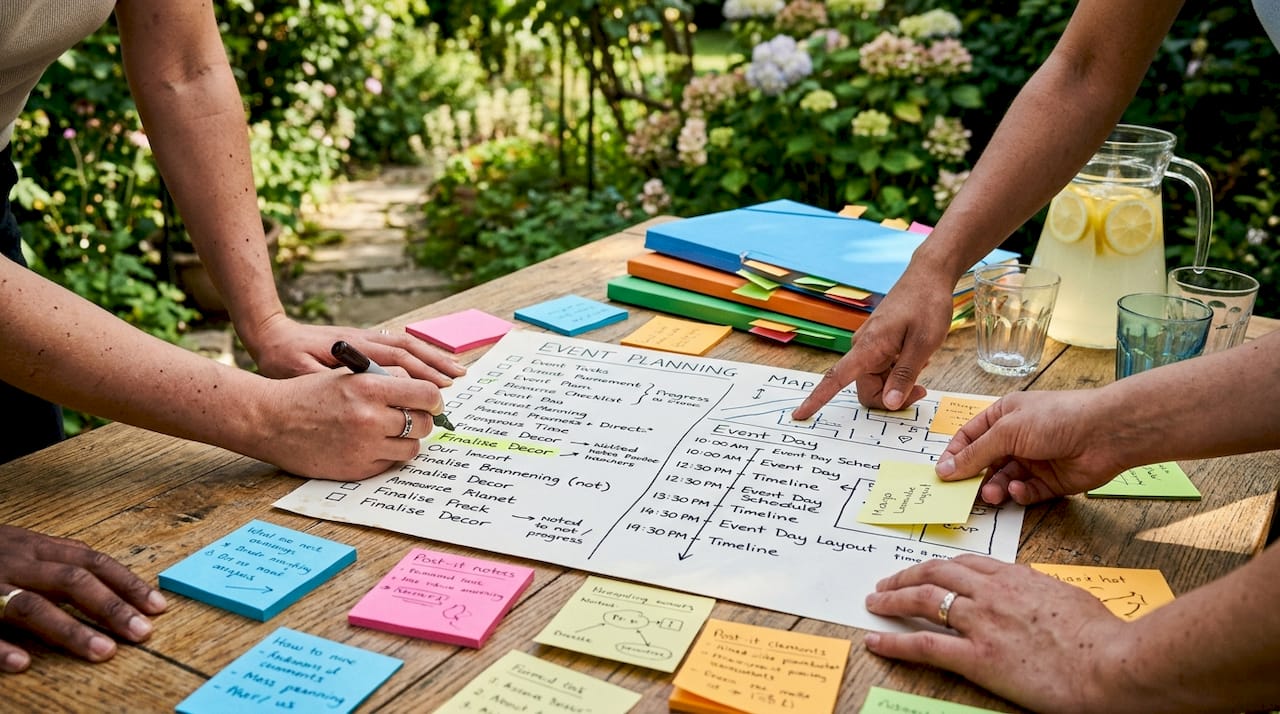
Pro Tip: Map every stage on paper before you open any software. Planners who select tools before mapping their workflow end up using a fraction of the features and waste time on repetitive logistics that could be automated.
Each stage should have a named owner, a deadline, and a trigger that moves the project to the next step. Without those three elements, stages stall and clients chase you for updates.
How does automating your personalised event planning workflow improve outcomes?
Automation removes the manual effort from tasks that repeat identically across every event. Event workflows are repetitive sequences from enquiry through post-event follow-up; the content changes but the sequence does not. That predictability is exactly what makes automation feasible.
The business case is clear. Event planning businesses using automation achieve 34% higher gross margin than those using manual operations at similar revenue levels. Higher margin means more capacity to invest in the bespoke touches that luxury clients expect.
Speed matters just as much as efficiency. Planners responding within one hour book 22% more clients than those who reply later. Automating the first acknowledgement to fire within 90 seconds of an enquiry captures that advantage without any manual effort.
Automation maturity follows a clear progression:
| Maturity level | What it looks like | Primary benefit |
|---|---|---|
| Reactive | Manual replies, no templates | None; baseline only |
| Structured | Templates and checklists in use | Consistency and speed |
| Automated | Triggered emails, digital contracts | Time saved per booking |
| Integrated | CRM, calendar, and vendor tools connected | Fewer errors, full visibility |
| Analytical | Feedback loops informing business decisions | Continuous improvement |
Most planners sit at the structured level. Moving to automated and integrated is where the 34% margin gain becomes achievable.
Pro Tip: Start by automating the two highest-frequency tasks: enquiry acknowledgement and contract reminders. Those two alone recover several hours per booking without requiring complex integrations.
How do you design a workflow tailored to weddings, corporate events, or milestone celebrations?
The design process starts with one question: what is the core purpose of this event? Defining the event’s purpose before logistics prevents fragmented attendee experiences and keeps every decision anchored to a clear outcome. A wedding celebrates a relationship. A corporate product launch builds brand authority. A 50th birthday honours a life. Each purpose shapes every workflow decision that follows.
Once the purpose is clear, follow these steps to build a tailored workflow:
- Run a structured discovery session. Ask the client to describe their ideal guest experience in three words. Those words become the filter for every vendor, venue, and design choice.
- Map client preferences onto each workflow stage. A couple who values intimacy needs a different vendor briefing than a corporate client who needs 300 branded place settings. Document preferences at the kickoff stage, not the day before.
- Adjust the timeline by event type. Weddings typically require a 12-month planning horizon with a detailed wedding planning checklist. Corporate functions often compress into 6–8 weeks. Milestone celebrations vary widely; anchor the timeline to venue availability first.
- Build in cultural and traditional touchpoints. A Cape Malay wedding ceremony, a Zulu lobola negotiation, or a formal corporate gala each carry specific protocol. Flag these in the workflow as non-negotiable milestones with their own vendor and timing requirements.
- Create event-specific checklist items. A corporate event workflow needs AV testing, delegate registration, and speaker briefings. A wedding workflow needs seating plans, floral delivery windows, and ceremony rehearsal scheduling. Generic checklists miss these distinctions.
- Build flexibility into the timeline. Reserve buffer time before and after critical milestones. Vendors run late, weather changes, and clients revise decisions. A rigid timeline breaks; a flexible one bends.
The goal is a workflow that feels bespoke to the client but is repeatable for the planner. That combination is what customised event coordination at a luxury level actually requires.
What are the common challenges in personalised event planning workflows?
Complex vendor coordination is the most common point of failure. When six or more suppliers operate from different documents and communication channels, details fall through the gaps. A single shared master timeline, distributed to every vendor, eliminates most of this friction.
The second challenge is maintaining a cohesive guest experience across all touchpoints. Clarifying the event’s core purpose upfront is the most effective way to prevent a fragmented experience. When the florist, caterer, and AV team all understand the event’s theme and tone, their contributions reinforce each other rather than clash.
Other frequent pitfalls include:
- Inconsistent client communication. Clients who feel uninformed become anxious and generate unnecessary revision requests. Weekly status updates, even brief ones, prevent this.
- Over-automating the human moments. Automated reminders work well for contracts and payments. They do not replace a personal call after a difficult vendor negotiation or a handwritten note to a grieving family planning a memorial.
- Tool overload. Mapping workflows before selecting tools prevents the common mistake of subscribing to five platforms that each solve a different fragment of the same problem.
- Late budget tracking. Budget overruns almost always trace back to undocumented verbal agreements with vendors. Every change, however small, needs a written confirmation and a budget line update.
- Ignoring post-event follow-up. The 48 hours after an event are the highest-value window for referrals and repeat bookings. A structured closeout process captures that value automatically.
Pro Tip: Assign a single point of contact for each vendor and document that contact in the master timeline. When a problem arises on the day, you need one call, not five.
Key takeaways
A personalised event planning workflow succeeds when the client’s core purpose is defined first, the nine workflow stages are mapped before any tool is selected, and automation handles repetitive tasks so the planner’s attention stays on the moments that matter.
| Point | Details |
|---|---|
| Define purpose first | Clarify the event’s core goal before any logistics to keep every decision aligned. |
| Map before you build | Document all nine workflow stages on paper before choosing software or templates. |
| Automate the repeatable | Enquiry acknowledgement and contract reminders deliver the fastest time savings. |
| Tailor by event type | Weddings, corporate functions, and milestone events each need distinct checklist items and timelines. |
| Close the loop | A structured post-event follow-up within 48 hours captures referrals and repeat business. |
What I have learned from building personalised event workflows
The most common mistake I see is planners who treat workflow design as something to sort out later. They pick a project management tool, start filling in tasks, and wonder why the process still feels chaotic six months in. The workflow has to come first. Every tool is just a container; the logic you pour into it is what determines the outcome.
Rapid client engagement is more valuable than most planners realise. The data on booking rates and response time confirms what I have seen in practice: the planner who responds first, and responds well, wins the booking. Automating that first touch is not impersonal. It is professional.
The tension between automation and human connection is real, but it is not a contradiction. Automate the logistics. Show up personally for the emotional moments. A client planning a wedding does not need you to manually send a payment reminder. They do need you present and focused during the tasting, the rehearsal, and the morning of the ceremony.
Vendor relationships are the hidden variable in every workflow. A supplier who trusts you will flag a problem 48 hours before the event. One who feels managed rather than partnered will stay quiet until it is too late. Build the relationship into the workflow: a personal check-in call two weeks before the event costs 15 minutes and prevents most day-of surprises.
Post-event follow-up is where most planners leave money on the table. A thank-you message and a short feedback request, sent within 48 hours, generate the testimonials and referrals that fill the next quarter’s diary. Build it into the workflow as a non-negotiable final stage, not an afterthought.
— Coert
How Winelandsfunction brings your event planning workflow to life
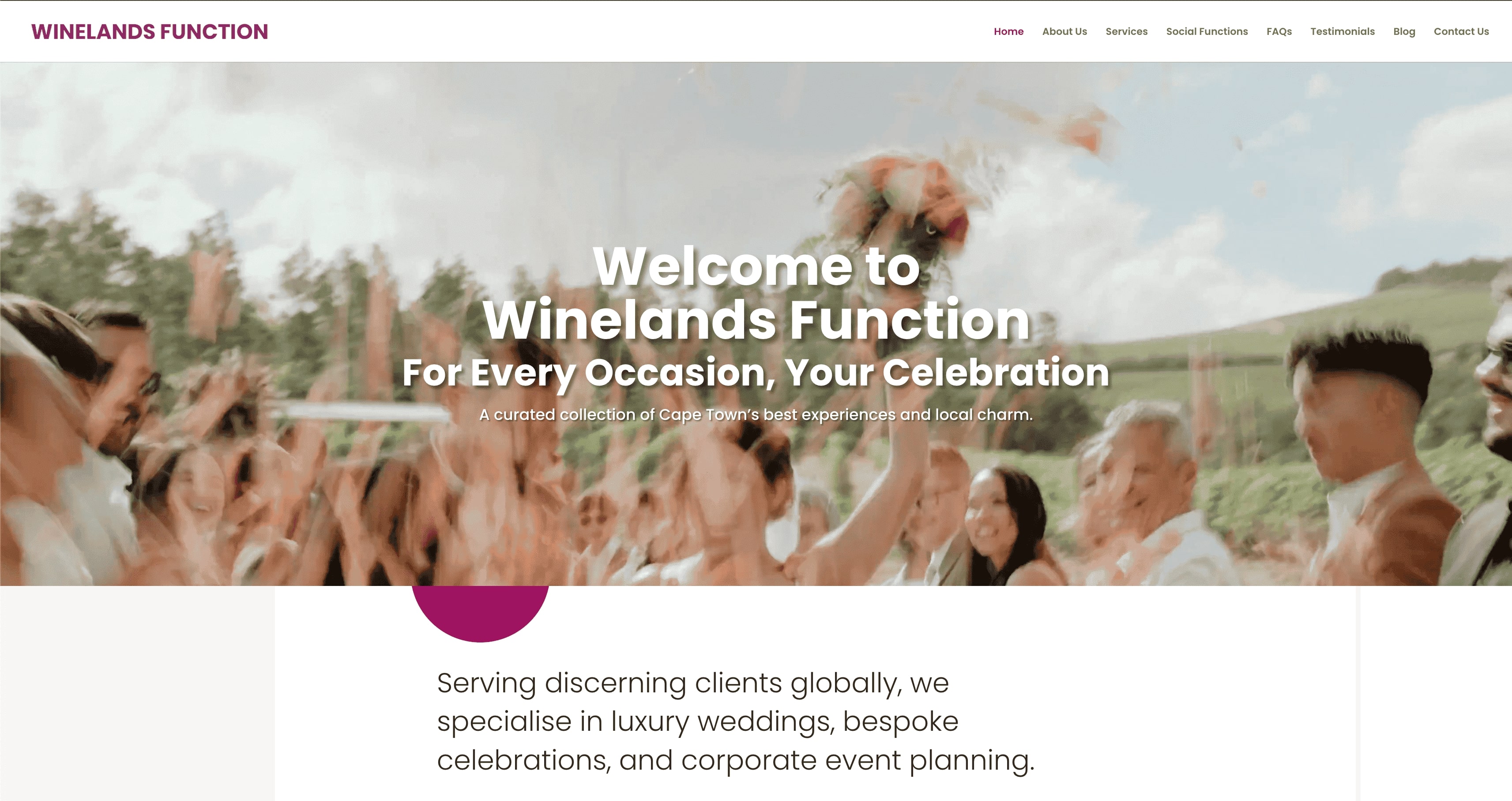
Winelandsfunction specialises in luxury bespoke events across Cape Town, from intimate weddings in the Winelands to high-profile corporate launches and milestone celebrations. Every engagement follows a structured, personalised process that covers all nine workflow stages, with dedicated coordination at each step.
The team at Winelandsfunction handles vendor briefings, timeline management, and day-of coordination so that clients experience the event rather than manage it. For those who want a clear, step-by-step planning process from first concept to final farewell, Winelandsfunction offers the expertise and the structure to make it happen with precision and elegance.
FAQ
What is a personalised event planning workflow?
A personalised event planning workflow is a defined sequence of stages, from enquiry capture to post-event follow-up, tailored to the specific event type and client vision. The sequence stays consistent; the content within each stage changes to reflect the client’s needs.
How many stages does a typical event planning workflow include?
A complete workflow covers nine stages: enquiry capture, qualification, proposal, contract and deposit, kickoff, vendor RFP management, timeline sync, day-of coordination, and post-event closeout. Each stage requires a named owner, a deadline, and a trigger to advance the project.
Does automation make event planning less personal?
Automation handles repetitive logistics such as payment reminders and enquiry acknowledgements, freeing planners to focus on high-value personal interactions. The human touch remains in discovery sessions, vendor relationships, and day-of presence.
Why should I map my workflow before choosing software?
Mapping workflows before selecting tools prevents feature overload and ensures the software serves the process rather than dictating it. Planners who skip this step typically use a fraction of their tools’ capabilities.
How quickly should I respond to a new event enquiry?
Automating acknowledgement within 90 seconds of an enquiry is the target. Planners who respond within one hour book significantly more clients than those who reply later in the day.
Recommended
- Personalization in event planning: your 2026 guide – Winelands Function – For Every Occasion, Your Celebration
- Why personalised events matter: the 2026 planner’s guide – Winelands Function – For Every Occasion, Your Celebration
- Corporate event workflow guide: plan high-end events with ease – Winelands Function – For Every Occasion, Your Celebration
- How to customise event experiences: your 2026 guide – Winelands Function – For Every Occasion, Your Celebration